Number Labeler
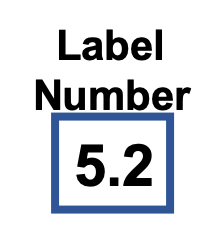
Description
The Number Labeler processor adds labels to numerical values based on user-defined rules. It supports:
- Value-based labeling
- Custom rule definition
- Multiple conditions
- Default labels
- Value comparison
This processor is essential for:
- Classifying measurements
- Adding context to data
- Identifying patterns
- Marking conditions
Required input
The processor requires a data stream containing:
- A numerical value field to evaluate
- Timestamp information
Configuration
Sensor Value
Select the numerical field to evaluate against the rules.
Label Name
Specify the name of the label field in the output event.
Condition
Add conditions in the format:
<;5;low- Label as "low" if value is less than 5<;10;medium- Label as "medium" if value is less than 10*;high- Default label "high" for all other cases
Output
The processor creates a new event containing:
- All original fields from the input event
- A new label field based on the conditions
Example
Input Event
{
  "deviceId": "sensor01",
  "timestamp": 1586380104915,
  "temperature": 23.5
}
Configuration
- Sensor Value: temperature
- Label Name: temperature_status
- Condition: "<;20;cold", "<;30;warm", "*;hot"
Output Event
{
  "deviceId": "sensor01",
  "timestamp": 1586380104915,
  "temperature": 23.5,
  "temperature_status": "warm"
}
Use Cases
-
Data Classification
- Classify measurements
- Add context to data
- Identify patterns
- Mark conditions
-
Quality Control
- Label quality levels
- Mark thresholds
- Identify issues
- Track conditions
Notes
- Conditions are evaluated in order
- Default label is required
- Processing is stateless
- Multiple conditions supported